J

User Research

We interviewed event organisers, athletes, and club managers to understand what their day-to-day looked like when managing or entering events. Key questions included:

  • How do you currently manage or enter events?
  • What’s the biggest frustration with the current process?
  • What would an ideal experience look like?

Personas

Name: JoshRole: Club organizer

Goals: Simplify event setup, manage bookings, and track payments

Frustrations: Wasting hours following up manually, collecting data across platforms

Name: JoshRole: Club organizer

Goals: Simplify event setup, manage bookings, and track payments

Frustrations: Wasting hours following up manually, collecting data across platforms

Let’s create together.

Designed & Developed by Jamie Godwin

© 2025 - All Rights Reserved

Eventhub

Online event entry and hosting platform

Scope:

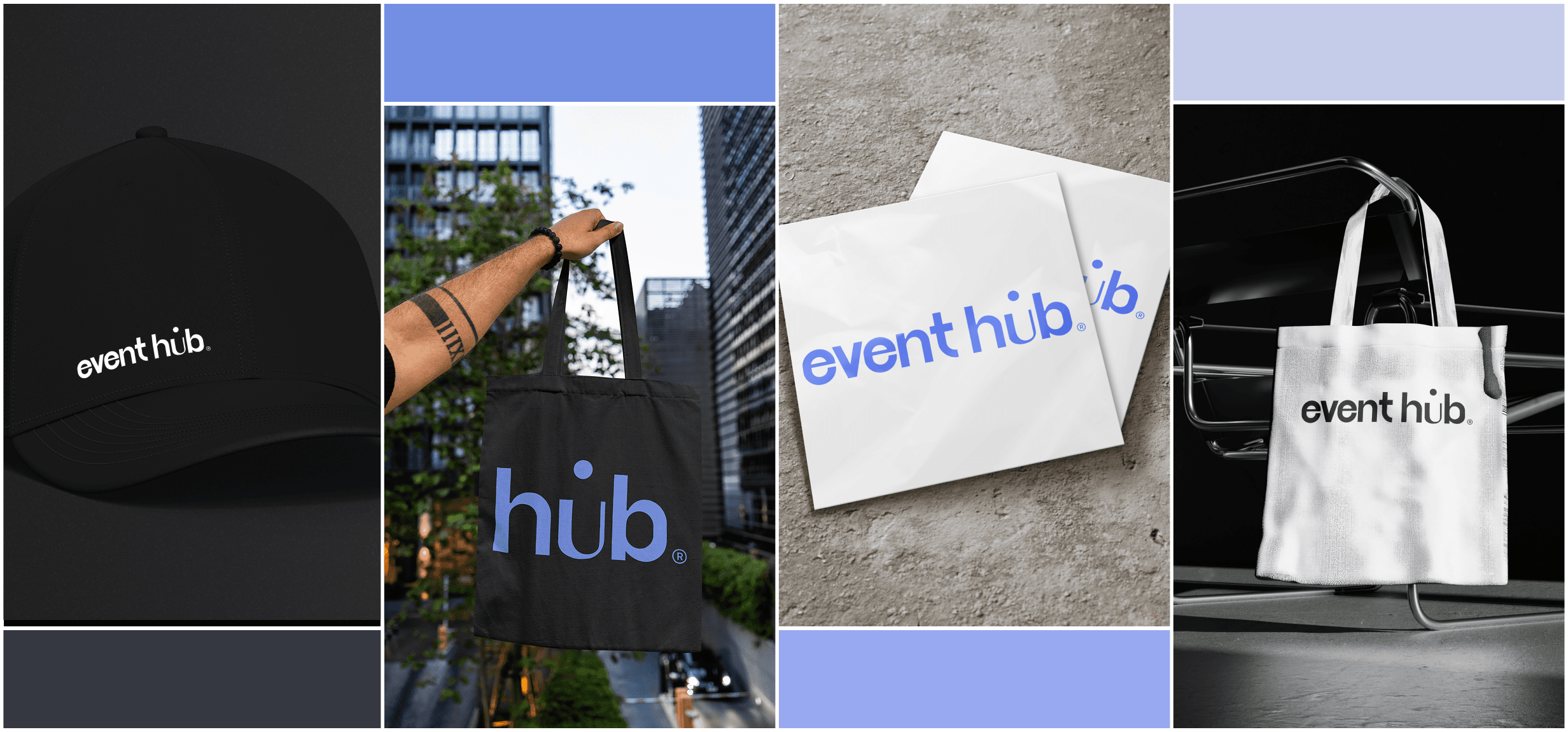
Brand Identity, Product Strategy, UX/UI Design

Platforms:

Web + Mobile

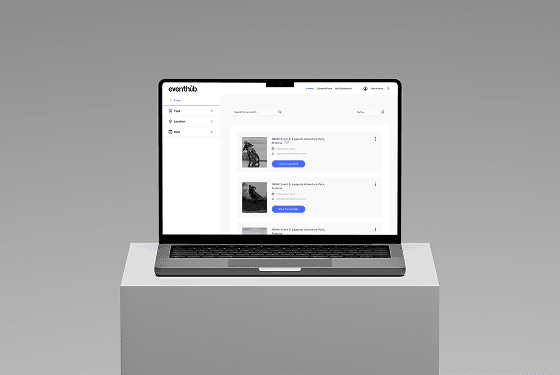
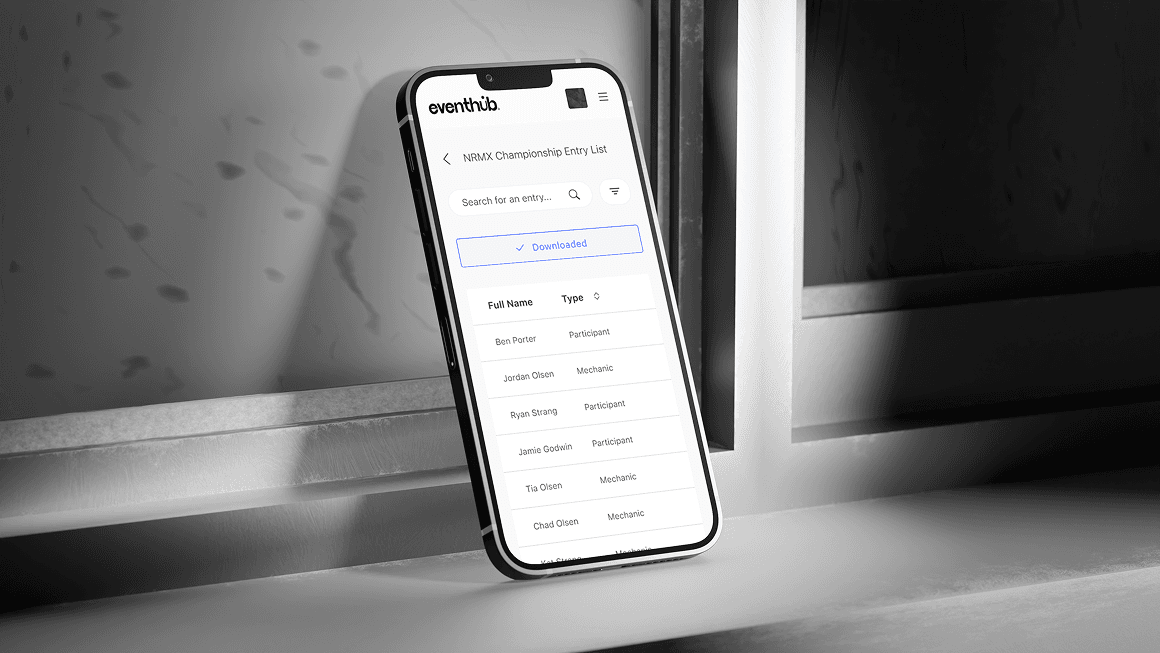
Eventhub is built for sports communities looking for a better way to manage and enter events. The product simplifies the entire process, from setup to booking and participation.

We were responsible for naming, brand identity, UX strategy, and UI design.

User Insights

We created focused user profiles to guide design decisions.

These helped us prioritize what matters most to real users.

Most clubs use outdated tools like email threads, spreadsheets, or DMs

Athletes want a simple “book and go” experience

Organizers need better visibility of entries and payments

There’s no central hub that everyone trusts

Journey Map

We mapped the user experience before and after Eventhub to identify gaps and build a better flow for both organizers and participants.

The goal was to simplify every step - from planning and promotion to booking and payment.

Steps

Plan event

Experience

Uses Eventhub dashboard

Improvement

Structured templates and saved presets

Steps

Share info

Experience

One event link or QR code

Improvement

All event details in one place

Steps

Collect entries

Experience

Centralised dashboard

Improvement

Auto-organised entries and data export

Steps

Manage payments

Experience

Integrated payments

Improvement

Automated tracking and payouts

Steps

Update participants

Experience

Sends bulk messages or updates via app

Improvement

Instant delivery, confirmed reads

Product Framing & Analysis

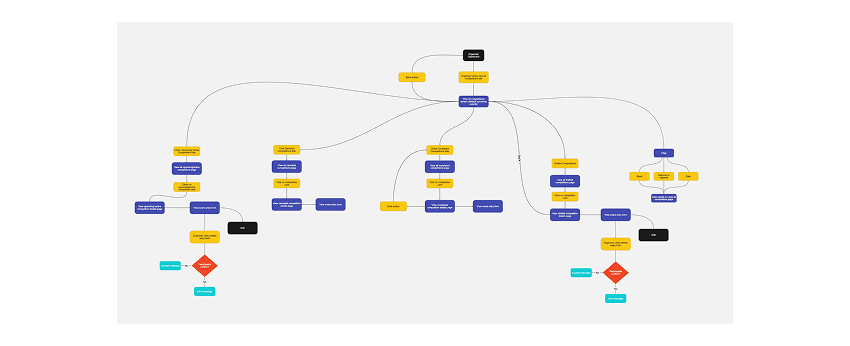
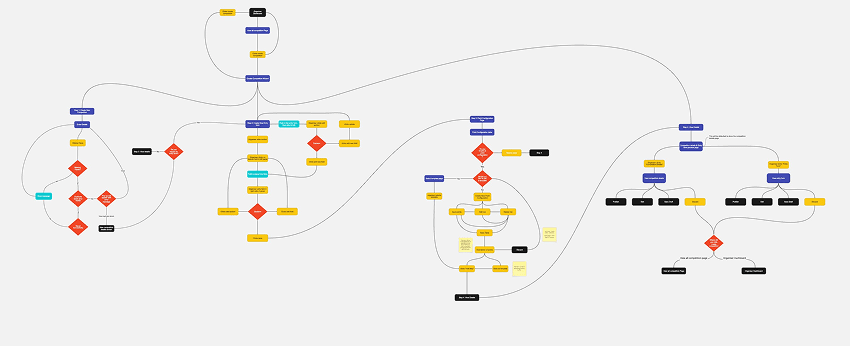
Before jumping into design, we defined detailed user flows for each section of the platform, including client onboarding, task tracking, and internal communication.

This helped align the team around real user needs and made sure our designs were grounded in functionality.

Wireframes

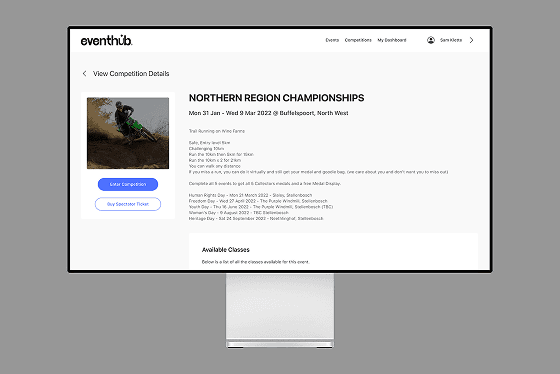
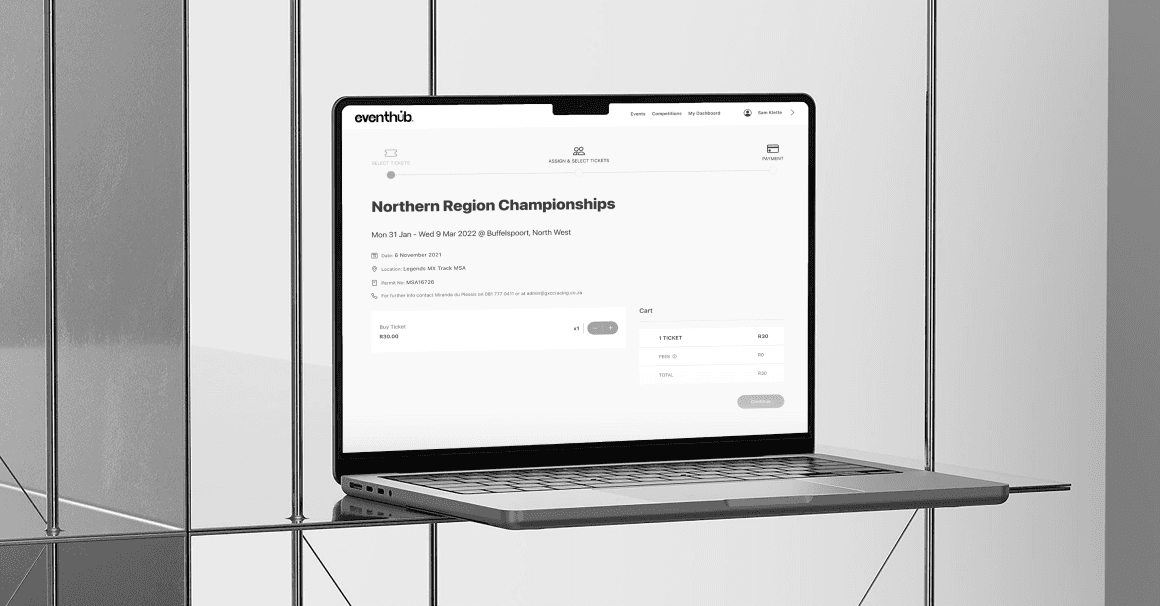
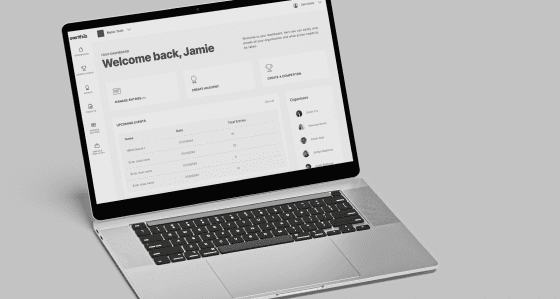
We began by mapping user flows to define the key journeys and interactions within the product. These flows guided the structure and logic of the experience. From there, we translated the flows into low-fidelity wireframes to shape layout and hierarchy. Once the core paths were validated, we refined them into high-fidelity wireframes, focusing on clarity, interactions, and usability before moving into the final UI design.

Style Guide

We began with low-fidelity wireframes to define layout, structure, and flow.

Once the core experience made sense, we refined the designs into high-fidelity wireframes, focusing on clarity, interactions, and user logic.


This step ensured every screen worked as intended before we moved into the final UI design.

Fonts

Aa

Font Base

SF Pro

ABCdefghijklmnopqrstuvwxyz

ABCdefghijklmnopqrstuvwxyz

123456789

Colour palate

#353840

#4D70FF

#738FE4

#98A9F1

#C5CCE9

#F9F9F9

What I Learned

Research turns assumptions into clarity Understanding how different users interact with event platforms helped shape clear flows. Early interviews uncovered pain points we wouldn't have seen otherwise.


Small interactions make a big difference Improving the booking flow came down to refining details—microcopy, button hierarchy, entry points. These little tweaks helped streamline the experience.


Validate through testing, not guessing Running tests throughout helped validate what worked and what didn’t. We avoided overbuilding features that users didn’t actually need.

Next steps

Expand personalization options Giving users more control over saved events, preferences, and reminders would increase long-term engagement.


Improve accessibility Next iteration should focus on color contrast, font scaling, and keyboard navigation for a wider audience.


Explore partner dashboards Building an experience tailored for event organizers could create a two-sided platform and open new features.

Thanks

for visiting.

Let’s create together.

Designed & Developed by Jamie Godwin

© 2025 - All Rights Reserved

The Problem

Clubs and organisers were using manual tools like WhatsApp groups and PDFs to manage sports events. This made communication hard and the user journey fragmented.

The Goal

Create a seamless, digital-first product that brings structure, clarity, and trust to the way sports events are hosted and entered.
J

User Research

We interviewed event organisers, athletes, and club managers to understand what their day-to-day looked like when managing or entering events. Key questions included:

  • How do you currently manage or enter events?
  • What’s the biggest frustration with the current process?
  • What would an ideal experience look like?

Personas

Name: JoshRole: Club organizer

Goals: Simplify event setup, manage bookings, and track payments

Frustrations: Wasting hours following up manually, collecting data across platforms

Name: JoshRole: Club organizer

Goals: Simplify event setup, manage bookings, and track payments

Frustrations: Wasting hours following up manually, collecting data across platforms

Eventhub

Online event entry and hosting platform

Scope:

Brand Identity, Product Strategy, UX/UI Design

Platforms:

Web + Mobile

Eventhub is built for sports communities looking for a better way to manage and enter events. The product simplifies the entire process, from setup to booking and participation.

We were responsible for naming, brand identity, UX strategy, and UI design.

User Insights

We created focused user profiles to guide design decisions.

These helped us prioritize what matters most to real users.

Most clubs use outdated tools like email threads, spreadsheets, or DMs

Athletes want a simple “book and go” experience

Organizers need better visibility of entries and payments

There’s no central hub that everyone trusts

Journey Map

We mapped the user experience before and after Eventhub to identify gaps and build a better flow for both organizers and participants.

The goal was to simplify every step - from planning and promotion to booking and payment.

Steps

Plan event

Experience

Uses Eventhub dashboard

Improvement

Structured templates and saved presets

Steps

Share info

Experience

One event link or QR code

Improvement

All event details in one place

Steps

Collect entries

Experience

Centralised dashboard

Improvement

Auto-organised entries and data export

Steps

Manage payments

Experience

Integrated payments

Improvement

Automated tracking and payouts

Steps

Update participants

Experience

Sends bulk messages or updates via app

Improvement

Instant delivery, confirmed reads

Product Framing & Analysis

Before jumping into design, we defined detailed user flows for each section of the platform, including client onboarding, task tracking, and internal communication.

This helped align the team around real user needs and made sure our designs were grounded in functionality.

Wireframes

We began by mapping user flows to define the key journeys and interactions within the product. These flows guided the structure and logic of the experience. From there, we translated the flows into low-fidelity wireframes to shape layout and hierarchy. Once the core paths were validated, we refined them into high-fidelity wireframes, focusing on clarity, interactions, and usability before moving into the final UI design.

Style Guide

We began with low-fidelity wireframes to define layout, structure, and flow.

Once the core experience made sense, we refined the designs into high-fidelity wireframes, focusing on clarity, interactions, and user logic.


This step ensured every screen worked as intended before we moved into the final UI design.

Fonts

Aa

Font Base

SF Pro

ABCdefghijklmnopqrstuvwxyz

ABCdefghijklmnopqrstuvwxyz

123456789

Colour palate

#353840

#4D70FF

#738FE4

#98A9F1

#C5CCE9

#F9F9F9

What I Learned

Research turns assumptions into clarity Understanding how different users interact with event platforms helped shape clear flows. Early interviews uncovered pain points we wouldn't have seen otherwise.


Small interactions make a big difference Improving the booking flow came down to refining details—microcopy, button hierarchy, entry points. These little tweaks helped streamline the experience.


Validate through testing, not guessing Running tests throughout helped validate what worked and what didn’t. We avoided overbuilding features that users didn’t actually need.

Next steps

Expand personalization optionsGiving users more control over saved events, preferences, and reminders would increase long-term engagement.


Improve accessibilityNext iteration should focus on color contrast, font scaling, and keyboard navigation for a wider audience.


Explore partner dashboardsBuilding an experience tailored for event organizers could create a two-sided platform and open new features.

The Problem

Clubs and organisers were using manual tools like WhatsApp groups and PDFs to manage sports events. This made communication hard and the user journey fragmented.

The Goal

Create a seamless, digital-first product that brings structure, clarity, and trust to the way sports events are hosted and entered.
Thanks

for visiting.

Let’s create together.

Designed & Developed by Jamie Godwin

© 2025 - All Rights Reserved

J

Craft

About

Contact

Eventhub

Online event entry and hosting platform

Scope:

Brand Identity, Product Strategy, UX/UI Design

Platforms:

Web + Mobile

Eventhub is built for sports communities looking for a better way to manage and enter events. The product simplifies the entire process, from setup to booking and participation.

We were responsible for naming, brand identity, UX strategy, and UI design.

User Insights

We created focused user profiles to guide design decisions. These helped us prioritize what matters most to real users.

Most clubs use outdated tools like email threads, spreadsheets, or DMs

Athletes want a simple “book and go” experience

Organizers need better visibility of entries and payments

There’s no central hub that everyone trusts

Journey Map

We mapped the user experience before and after Eventhub to identify gaps and build a better flow for both organizers and participants.

The goal was to simplify every step - from planning and promotion to booking and payment.

Steps

Plan event

Experience

Uses Eventhub dashboard

Improvement

Structured templates and saved presets

Steps

Share info

Experience

One event link or QR code

Improvement

All event details in one place

Steps

Collect entries

Experience

Centralised dashboard

Improvement

Auto-organised entries and data export

Steps

Manage payments

Experience

Integrated payments

Improvement

Automated tracking and payouts

Steps

Update participants

Experience

Sends bulk messages or updates via app

Improvement

Instant delivery, confirmed reads

Product Framing & Analysis

Before jumping into design, we defined detailed user flows for each section of the platform, including client onboarding, task tracking, and internal communication.

This helped align the team around real user needs and made sure our designs were grounded in functionality.

Wireframes

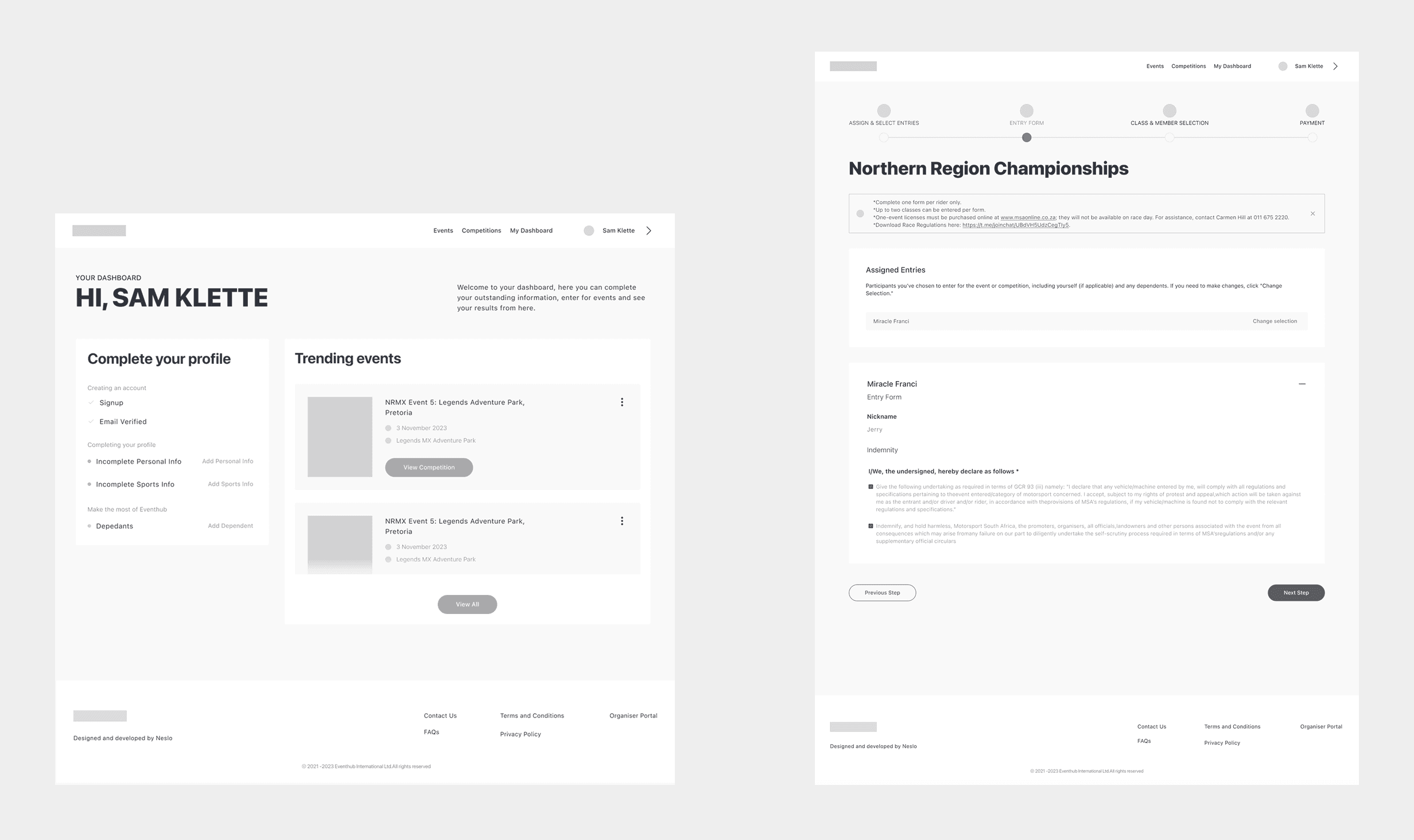
We began by mapping user flows to define the key journeys and interactions within the product. These flows guided the structure and logic of the experience. From there, we translated the flows into low-fidelity wireframes to shape layout and hierarchy. Once the core paths were validated, we refined them into high-fidelity wireframes, focusing on clarity, interactions, and usability before moving into the final UI design.
Style Guide

We began with low-fidelity wireframes to define layout, structure, and flow.

Once the core experience made sense, we refined the designs into high-fidelity wireframes, focusing on clarity, interactions, and user logic.


This step ensured every screen worked as intended before we moved into the final UI design.

Fonts

Aa

Font Base

SF Pro

ABCdefghijklmnopqrstuvwxyz

ABCdefghijklmnopqrstuvwxyz

123456789

Colour palate

#353840

#4D70FF

#738FE4

#98A9F1

#C5CCE9

#F9F9F9

What I Learned

Research turns assumptions into clarity Understanding how different users interact with event platforms helped shape clear flows. Early interviews uncovered pain points we wouldn't have seen otherwise.


Small interactions make a big difference Improving the booking flow came down to refining details—microcopy, button hierarchy, entry points. These little tweaks helped streamline the experience.


Validate through testing, not guessing Running tests throughout helped validate what worked and what didn’t. We avoided overbuilding features that users didn’t actually need.

Next steps

Expand personalization options Giving users more control over saved events, preferences, and reminders would increase long-term engagement.


Improve accessibility Next iteration should focus on color contrast, font scaling, and keyboard navigation for a wider audience.


Explore partner dashboards Building an experience tailored for event organizers could create a two-sided platform and open new features.

Let’s create together.

Designed & Developed by Jamie Godwin

© 2025 - All Rights Reserved

The Problem

Clubs and organisers were using manual tools like WhatsApp groups and PDFs to manage sports events. This made communication hard and the user journey fragmented.

The Goal

Create a seamless, digital-first product that brings structure, clarity, and trust to the way sports events are hosted and entered.

User Research

We interviewed event organisers, athletes, and club managers to understand what their day-to-day looked like when managing or entering events. Key questions included:

  • How do you currently manage or enter events?
  • What’s the biggest frustration with the current process?
  • What would an ideal experience look like?

Personas

Name: JoshRole: Club organizer

Goals: Simplify event setup, manage bookings, and track payments

Frustrations: Wasting hours following up manually, collecting data across platforms

Name: JoshRole: Club organizer

Goals: Simplify event setup, manage bookings, and track payments

Frustrations: Wasting hours following up manually, collecting data across platforms

J

Craft

About

Contact

Let’s create together.

Designed & Developed by Jamie Godwin

© 2025 - All Rights Reserved

User Research

We interviewed event organisers, athletes, and club managers to understand what their day-to-day looked like when managing or entering events. Key questions included:

  • How do you currently manage or enter events?
  • What’s the biggest frustration with the current process?
  • What would an ideal experience look like?

Let’s create together.

Designed & Developed by Jamie Godwin

© 2025 - All Rights Reserved

Eventhub

Online event entry and hosting platform

Scope:

Brand Identity, Product Strategy, UX/UI Design

Platforms:

Web + Mobile

Eventhub is built for sports communities looking for a better way to manage and enter events. The product simplifies the entire process, from setup to booking and participation.We were responsible for naming, brand identity, UX strategy, and UI design.

The Problem

Clubs and organisers were using manual tools like WhatsApp groups and PDFs to manage sports events. This made communication hard and the user journey fragmented.

The Goal

Create a seamless, digital-first product that brings structure, clarity, and trust to the way sports events are hosted and entered.

User Research

We interviewed event organisers, athletes, and club managers to understand what their day-to-day looked like when managing or entering events. Key questions included:

  • How do you currently manage or enter events?
  • What’s the biggest frustration with the current process?
  • What would an ideal experience look like?

User Insights

We created focused user profiles to guide design decisions.

These helped us prioritize what matters most to real users.

Most clubs use outdated tools like email threads, spreadsheets, or DMs

Athletes want a simple “book and go” experience

Organizers need better visibility of entries and payments

There’s no central hub that everyone trusts

Journey Map

We mapped the user experience before and after Eventhub to identify gaps and build a better flow for both organizers and participants.

The goal was to simplify every step - from planning and promotion to booking and payment.

Product Framing & Analysis

Before jumping into design, we defined detailed user flows for each section of the platform, including client onboarding, task tracking, and internal communication.

This helped align the team around real user needs and made sure our designs were grounded in functionality.

Wireframes

We began by mapping user flows to define the key journeys and interactions within the product. These flows guided the structure and logic of the experience. From there, we translated the flows into low-fidelity wireframes to shape layout and hierarchy. Once the core paths were validated, we refined them into high-fidelity wireframes, focusing on clarity, interactions, and usability before moving into the final UI design.

Style Guide

We began with low-fidelity wireframes to define layout, structure, and flow.

Once the core experience made sense, we refined the designs into high-fidelity wireframes, focusing on clarity, interactions, and user logic.


This step ensured every screen worked as intended before we moved into the final UI design.

Fonts

Aa

Font Base

SF Pro

ABCdefghijklmnopqrstuvwxyz

ABCdefghijklmnopqrstuvwxyz

123456789

Colour palate

#353840

#4D70FF

#738FE4

#98A9F1

#C5CCE9

#F9F9F9

What I Learned

Research turns assumptions into clarity Understanding how different users interact with event platforms helped shape clear flows. Early interviews uncovered pain points we wouldn't have seen otherwise.


Small interactions make a big difference Improving the booking flow came down to refining details—microcopy, button hierarchy, entry points. These little tweaks helped streamline the experience.


Validate through testing, not guessing Running tests throughout helped validate what worked and what didn’t. We avoided overbuilding features that users didn’t actually need.

Next steps

Expand personalization options Giving users more control over saved events, preferences, and reminders would increase long-term engagement.


Improve accessibility Next iteration should focus on color contrast, font scaling, and keyboard navigation for a wider audience.


Explore partner dashboards Building an experience tailored for event organizers could create a two-sided platform and open new features.

The Problem

Clubs and organisers were using manual tools like WhatsApp groups and PDFs to manage sports events. This made communication hard and the user journey fragmented.

The Goal

Create a seamless, digital-first product that brings structure, clarity, and trust to the way sports events are hosted and entered.